Chestnut Enterprises LLC
Technology holding company based in Chicago, IL
Hodie
What the Church celebrates today, on your Home Screen.
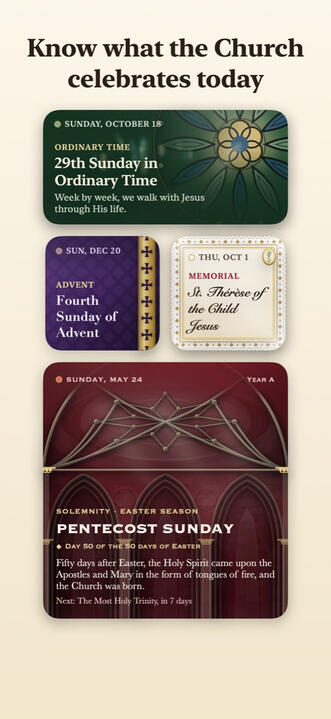
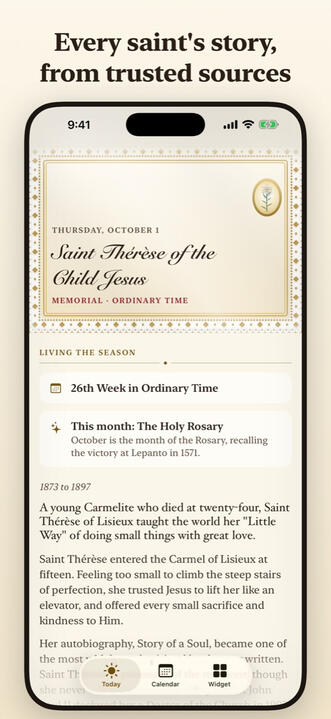
Hodie is Latin for “today.” Hodie shows the saint or feast of the day, the liturgical season and its color, in beautiful widgets for your Home Screen and Lock Screen. Tap the widget for a short page on the day: the saint’s story, why it matters, and the devotions of the season.
Coming soon to the app store!
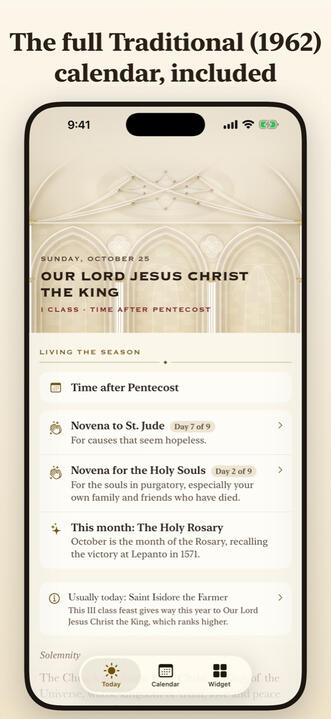
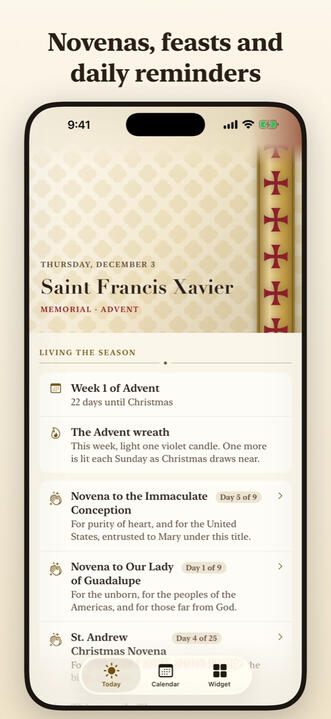
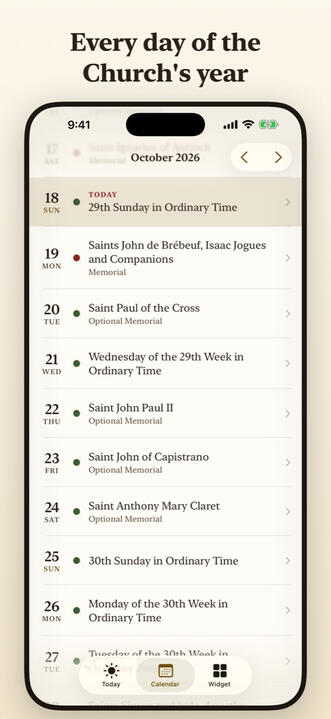
Made for every day of the Church’s year
• The saint or feast of the day, with its rank, season and color
• The Modern Calendar or the Traditional (1962) Calendar, both included
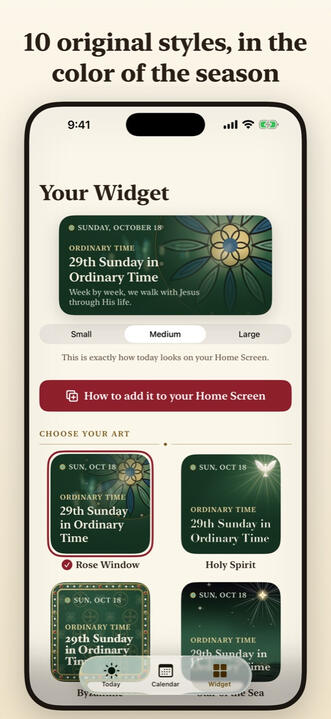
• 10 original art styles that change with the season
• A short page for every day, with cited sources
• Novenas with optional reminders, plenary indulgences, holy days of obligation, and fast days
• Widgets in every size, for the Home Screen and Lock Screen
One purchase, everything included. No ads, no account, no data collected. Works offline.
© 2026 Chestnut Enterprises LLC. Available on iPhone and iPad.
Hodie Privacy Policy
Hodie: Liturgical Calendar is published by Chestnut Enterprises LLC.Hodie does not collect, store, or share any personal information. The app has no account, no sign-in, no ads, and no analytics or tracking.The liturgical calendar is calculated on your device, and the app works without an internet connection. Your settings (such as your calendar, art and font choices) are stored only on your device so the app and its widgets can use them.If you turn on novena reminders, they are scheduled on your device by iOS. No information about them is sent to us or anyone else.Links to sources, such as the Catholic Encyclopedia or the Holy See’s website, open in your web browser. Those sites have their own privacy policies.If this policy changes, the updated version will be posted on this page.Questions: [email protected]Last updated: October 2026
Questions, feedback, or found an error in the calendar or a saint’s page? We’d love to hear from you.Email: [email protected]Adding the widget: On your Home Screen, press and hold an empty area, tap Edit, then Add Widget, and choose Hodie. To change a widget’s art, font or calendar, press and hold it and choose Edit Widget.Your parish’s calendar: Hodie follows the General Roman Calendar for the United States, or the 1962 calendar if you choose it. Your diocese or parish may also keep local feasts, such as a patron saint.

Rhythma
Work with your flow, not against it..
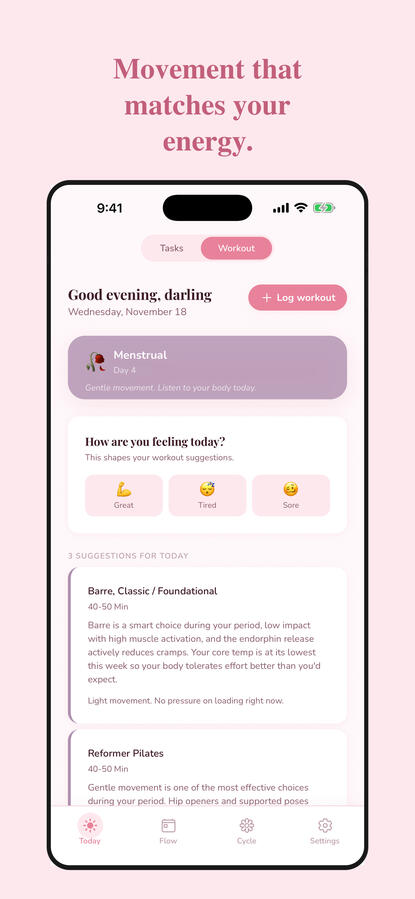
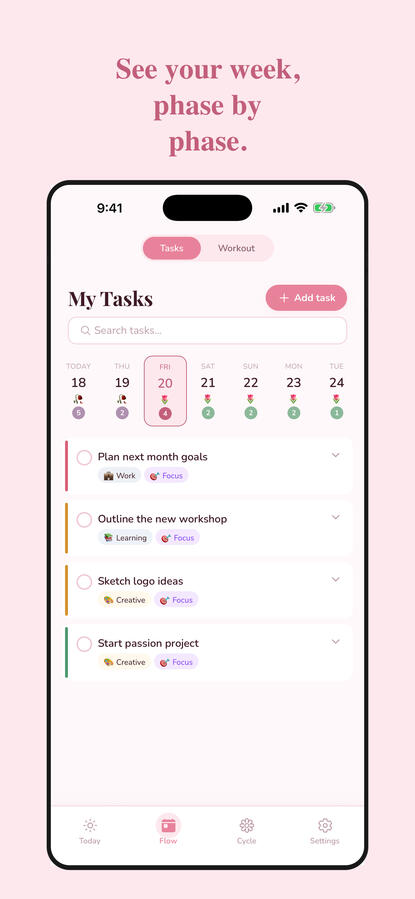
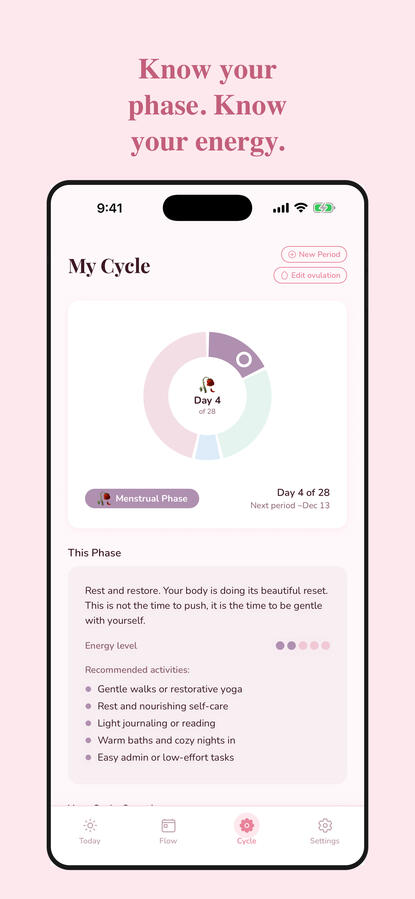
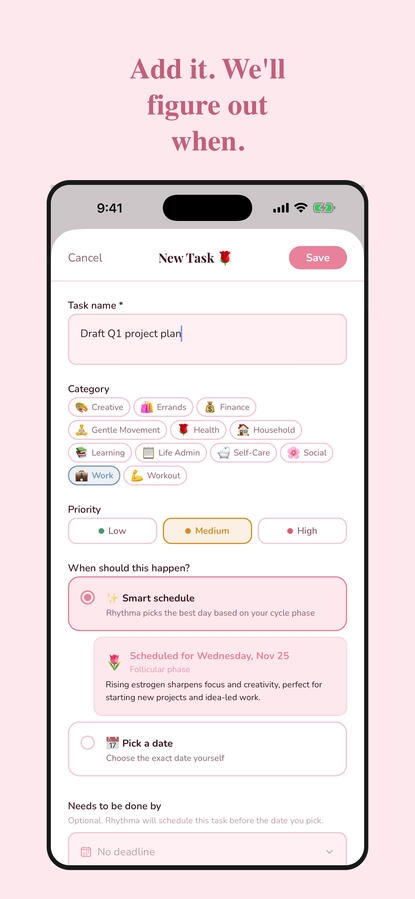
Rhythma is a planner that automatically organizes your tasks and workouts around your menstrual cycle. Add what you need to get done, log your movement, and Rhythma schedules everything into the right days based on your energy and phase — without you having to think about it.
Coming soon to the app store!
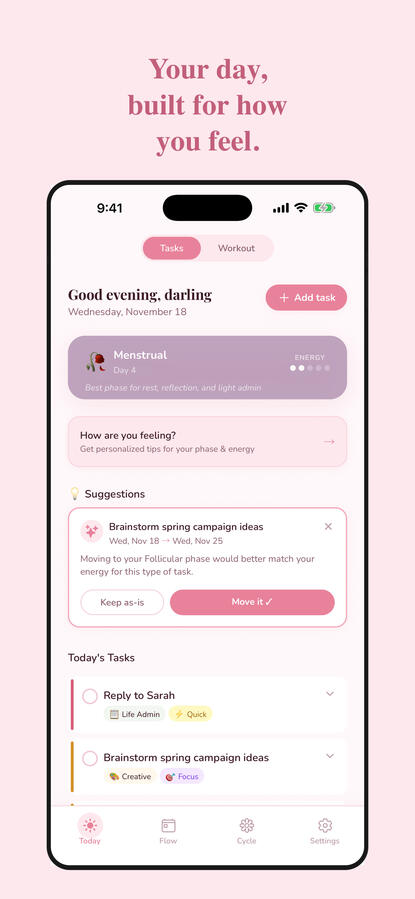
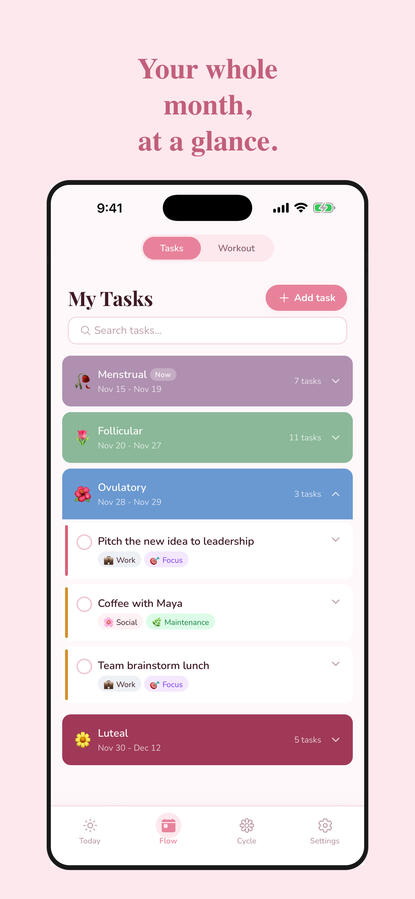
Built around your body, not a one-size-fits-all schedule
• Auto-scheduling algorithm that works with your cycle phase and energy levels
• Tasks for your whole life: work, errands, household, social, creative, and more
• Workout logging with phase-aware scheduling and Apple Health sync
• Today view, weekly forecast, and phase board — see what’s coming and why
• Daily morning nudge so you always know what’s on your plate
• Cloud backup included, no account required
Your data stays private: no ads, no tracking, no data sold.
© 2026 Chestnut Enterprises LLC. Available on iPhone.
Rhythma Privacy Policy
Rhythma is published by Chestnut Enterprises LLC.Rhythma stores your tasks, cycle dates, and preferences locally on your device. To protect against data loss, this data is backed up to a secure cloud database (Supabase) linked only to a randomly generated anonymous ID — not your name or email. No account or sign-in is required.If you connect Apple Health, Rhythma reads your menstrual cycle data on-device only to pre-fill your cycle settings. This data is never sent to any server. You can revoke access at any time in iOS Settings → Privacy and Security → Health → Rhythma.Rhythma does not sell your data, does not use it for advertising, and does not share it with any analytics or tracking services.To request deletion of your data, email [email protected] with the subject “Delete my data.” We will delete your cloud backup within 30 days. Deleting the app removes local data immediately.If this policy changes, the updated version will be posted on this page.Questions: [email protected]Last updated: November 2026
Questions, feedback, something not working? We read every email and typically respond within 5 business days.Email: [email protected]
FAQHow does Rhythma schedule my tasks?
Rhythma looks at your current cycle phase, each task’s priority and due date, and automatically moves tasks to days that suit how you’re likely to feel. You can always reschedule manually too.What if I have an irregular cycle or I’m on hormonal birth control?
The app still works. It learns from your logged periods over time and adapts. Features are never gated, and you can always adjust your cycle settings manually in the Cycle tab.I got a new phone. Will I lose my data?
No. If you restore from an iCloud backup, everything comes back automatically. On a brand new device with no iCloud restore, Rhythma uses your iOS Keychain to find and restore your data on first launch.How do I delete all my data?
Email [email protected] with the subject “Delete my data.” We’ll remove your cloud backup within 30 days. Deleting the app removes local data from your device immediately.